
Upload up to 10 files: PDF, Word Documents (.DOCX), Excel Spreadsheets (.XLSX), PowerPoint Presentations (.PPTX), Text Files (.TXT) up to 25 MB and 120 pages each, and Images (.PNG, .JPG) up to 5 MB each.
或將檔案拖曳至此處
無檔案試用 Foxit AI需要登入您的 Foxit 帳戶。您的檔案將由 Foxit 伺服器安全處理。使用此服務即表示您同意 Foxit 的 AI 使用者指導方針和隱私權政策。進一步瞭解 Foxit AI Assistant 的安全性與隱私權。
如何分析 PDF
Follow these steps to analyze your PDF and uncover insights with our PDF AI tool:
1
Upload your file - Drag and drop your file (PDF, Word, Excel, PowerPoint, text file, or image) or select from your device or cloud storage.
2
讓 AI 掃描和分析 - Foxit AI 將處理檔案以瞭解內容。
3
Get instant insights - Foxit AI will identify trends, extract data points, and uncover actionable takeaways.
4
Explore other AI tools - Ask follow-up questions, summarize the document, craft an overview email on it, enhance the tone of the writing, check spelling & grammar, and more.
免費試用我們的 PDF AI 工具

多功能聊天
不止於文字。Foxit AI 分析文件和影像以獲得更深入的見解。使用預先編寫的提示來總結、翻譯、強化書寫和檢查語法,或者讓 AI 從檔案摘要中建議關鍵問題。團隊可以快速審閱、釐清和擷取合約中的關鍵細節,即使是那些包含內嵌式影像的合約也一樣。

讓 AI 為您找到答案
讓 AI 承擔重任。在既長又複雜的文件中擷取關鍵見解並找到答案,而無需手動篩選。每個結果均溯源至文件,因此您可以進行驗證並深入探究。非常適合財務分析師從報告中提取關鍵資料以推動業務決策。

同時分析多個檔案
一次上傳和處理多個 PDF 或影像。一鍵總結所有內容,跨來源提問,並快速獲得可靠的答案。非常適合合規團隊準確而輕鬆地跨地區比較原則。

專為隱私權而打造的 AI
您的資料在您的掌握之中。Foxit AI 優先考慮隱私權和安全性,使文件保持機密,而無需對檔案進行儲存或訓練。其旨在滿足產業標準,確保合規性,同時提供強大、可靠的 AI 導向型見解。
分析 PDF 的相關常見問題解答
AI document analysis uses machine learning to examine a document and automatically extract key insights, patterns, data points, and summaries. Foxit AI scans PDFs, Word files, spreadsheets, images, and more to detect themes, highlight important information, summarize content, and convert unstructured text into actionable intelligence for business teams.
Yes. Foxit AI is designed to analyze complex, data-heavy documents such as financial reports, legal agreements, audit findings, compliance summaries, research papers, and policy documents. It identifies figures, clauses, definitions, obligations, risks, and other critical elements, even in lengthy or technical documents.
Yes. Foxit’s AI document analysis is secure and processes all documents with encrypted handling without storing or training on user files. Uploaded content is temporarily cached to improve performance and then permanently deleted, ensuring confidentiality for sensitive business, legal, or financial documents.
Foxit gives all users 20 monthly AI credits that can be used for PDF translation or any Foxit AI task. Each translation uses 1 credit. Higher-volume teams can upgrade to a 2,000-credit plan. More information is available in our AI Credit Usage Policy page.
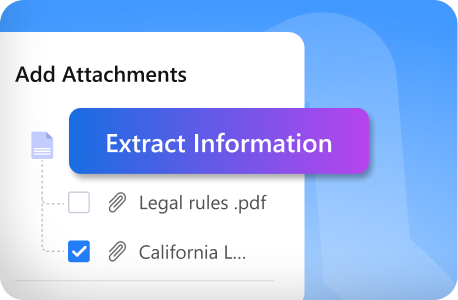
Yes. Foxit AI can extract structured information—including tables, charts, numerical values, bulleted lists, and other formatted content—from most document types. This allows users to pull out financial data, performance metrics, survey results, or specifications directly from PDFs and images.
Yes. Foxit AI can analyze scanned PDFs and images using built-in OCR to read and process text from photographs, scans, or screenshots. This enables insight extraction even from non-editable or low-quality documents.
Foxit AI delivers high accuracy by combining natural language understanding with OCR and structured-data extraction models. Accuracy depends on document quality, formatting clarity, and image resolution, but the tool reliably identifies major themes, figures, entities, and insights across most business documents.
Yes. Foxit AI identifies trends, patterns, anomalies, inconsistencies, and recurring themes within and across documents. This helps teams uncover outliers in financial data, inconsistent contract terms, or policy variations that may require attention.
Yes. You can ask unlimited follow-up questions to dig deeper into the extracted insights. Foxit AI can clarify sections, summarize specific pages, or explain key findings in plain language.
利用 Foxit AI 處理更多重要工作
- 每月可獲得 20 個免費點數 (升級到我們的付費版本將每月獲得 2000 個點數,可用於所有 Foxit AI 服務)。
- 同時對多個文件進行總結、翻譯和聊天。
- ai.foxit.com 是一個用於處理 PDF 的獨立 Web 型 AI 平台,而無需使用編輯器。